






Choose How to Start a Group Order
Option 1
Option 2
Share Group Order Link

Step1
Login to Start
login to unlock the group order function

Step2
Share Your Private Form Link
Generate private form link and share to client

Step3
Review , Submit and Payment
After forms completed, Leader reviews and makes final payment.
 Important Notes
• Before submitting the group order, Leader must verify all info, as no changes can be made after final submit.
(or you can contact customer team further assist)
Upload Order By Image
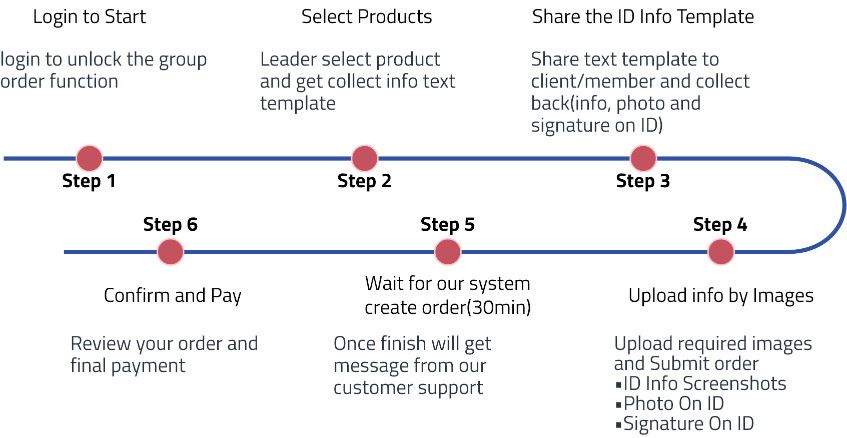
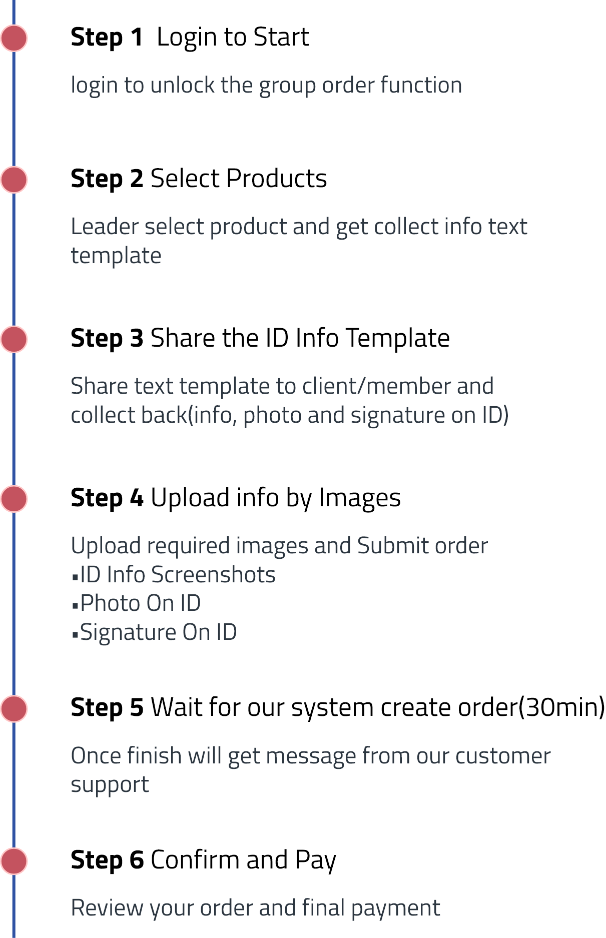
Remind
• Use the correct template for each product.
• You will be receive SMS notice when your order created please confirm your member account contact is available.

